Looking for a reliable and powerful disk catalog software to organize your huge collection of disks?
WinCatalog 2024 disk cataloger is a perfect solution! On the market since 2001.
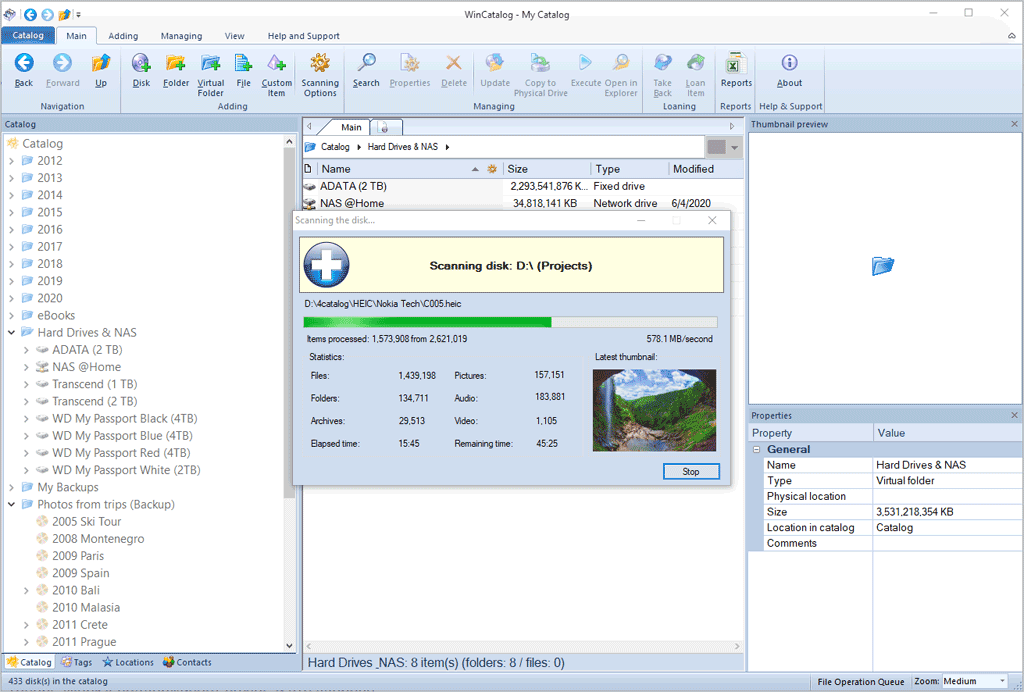
Automatically create a catalog of all files, stored on your disks (HDDs, DVDs, CDs, network drives and other media storage devices): WinCatalog will automatically grab ID3 tags for music files, Exif tags and thumbnails for photos, thumbnails and basic information for video files, e-books, contents of archive files, thumbnails for images (pictures) and PDF files, ISO files, and much more.
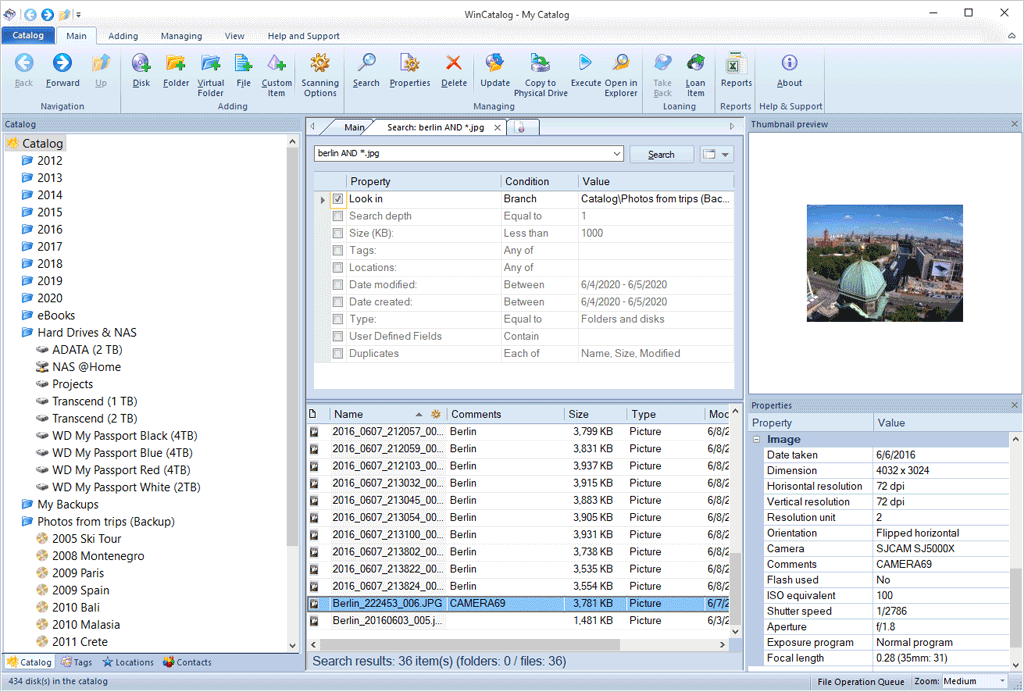
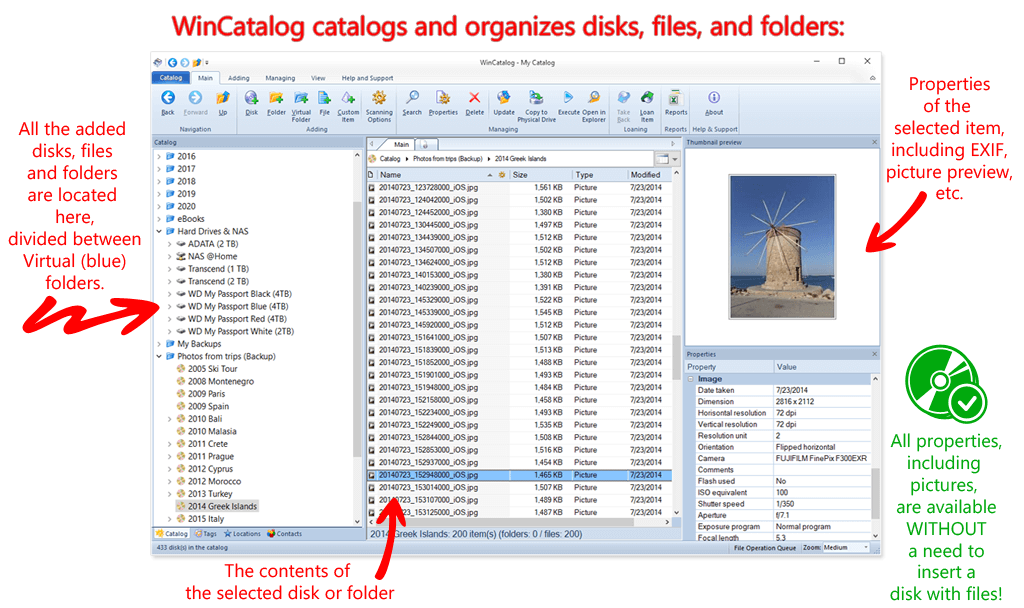
Organize your file catalog, using virtual folders, tags (categories) and user defined fields, and find files in seconds, using powerful search, even when disks are not connected to the computer. Also easily use WinCatalog as a duplicate file finder. Your disk catalog can be automatically updated through Windows task scheduler.
And no matter how huge your collection of disks is - you will always have your file catalog on hand, perfectly organized.
"Great program - finds "lost" files in a heartbeat. I was able to consolidate several hard drives in short order. Thanks WinCatalog!"
"First of all congratulations for your fantastic programm, I have a lot of Harddisks, Cd's and DVD's and it is very easy to find my data now."
More reviews from customers...
For Windows 11, Windows 10, Windows 8.1, Windows 8, Windows 7, Windows Vista, Windows XP.
Latest version: 2024.6.2 (February 5, 2024)
Free, full-featured 30-day trial version. If you have not purchased a licence key - read-only mode after 30 days.
Available Interface Languages: English (default), Český, Deutsch, Español Europeo & Español Latino, Français, Italiano, Magyar, Nederlands, Polski, Português Brasileiro & Portugal, Română, Slovak, Slovenski, Suomi, Svenska, Türkçe, العربية (Arabic), Bahasa Indonesia, Русский, Ελληνικά, 한국어, 日本人, 中文
Thanks to WinCatalog 2024 disk catalog software you can automatically create and store thumbnails of graphic files (images, photos) saved in all popular formats (JPEG, PNG, BMP, ICO, GIF, Tiff, WMF, and EMF) or RAW image formats produced by most of modern digital photo cameras. You can also save EXIF data (comments, resolution, [photo camera model, focal distance, and other parameters) for photos.
This means you can preview picture thumbnails in the catalog without the need to open the particular media. And it will allow you to quickly and easily locate a photo or an image in your image and photo catalog!
The program supports Zip, Zipx, RAR/RAR5, and 7z compressed files as well as ISO and NRG disk images. Files inside archives are displayed as files in folders.
WinCatalog implements both the typical search algorithm using simple queries and the advanced search using logical operators AND, OR, parenthesis and quotes - it makes the search more precise and provides exactly matching catalog search results. And since you can filter search results any way you want, you can find the desired catalog element almost instantly. Besides, search results can be grouped together using one or more criteria to find duplicate files quickly.
The main advantage of WinCatalog 2024 is extremely high operating speed while processing disk catalog, thanks to industrial database standards and SQLite DBMS. Using this advantage, you can find any object (a disk, a folder or a file) in your catalog in a matter of seconds!
We put much into developing as simple and straightforward interface as possible in order to let you enjoy all functions of WinCatalog 2024 disk catalog software right after installation.
This function allows you to create nice reports, containing your file and disk catalog, to send to your friends, publish online, print or perform in-depth processing in MS Excel.
WinCatalog disk catalog software correctly deals with any names and titles regardless of the language thanks to full Unicode support.
The diacritics insensitive search allows finding files easier because, for example, it treats characters é and e, ñ and n, à and a, etc similarly. WinCatalog Disk Catalog Software correctly handles ß and ss when searching in German. The diacritics insensitive search works for all languages.
* Screenshots were made under Windows 10 (WinCatalog as a desktop app)
This program is just what I needed to catalog my audio and video files. Now I can find my audio and video titles with just a press of a key. Many thanks for a great program."
"Excellent software! Thank you for sticking to conventional look & feel as much as possible — it makes the program very intuitive to use. Also, the nested virtual folders alone are worth the money — no one else seems to understand or implement this feature correctly."
"By the way — fantastic program. I had used WinCatalog Light years ago. Now bought copies of Pro for myself and my wife for work and pleasure. Having cataloged old drives I have been able to easily find things I had long forgotten."